MailChimp Homepage
Mailchimp homepage provides functionality to synchronise contacts from Central to Mailchimp. It also allows users to synchronise selected extra fields from Central to Mailchimp as Mailchimp tags.
Terminology
Mailchimp audience is a list of contacts (emails). Audience corresponds to list of Central’s contacts. Central’s contact is a subscriber in Mailchimp.
Setup
Custom Field
Under audience open up Tags. Create a new Mailchimp custom text field called CCHREF to enable link between Central and Mailchimp site. Please set both “Field label and type” and “Put this tag in your content” to “CCHREF”.
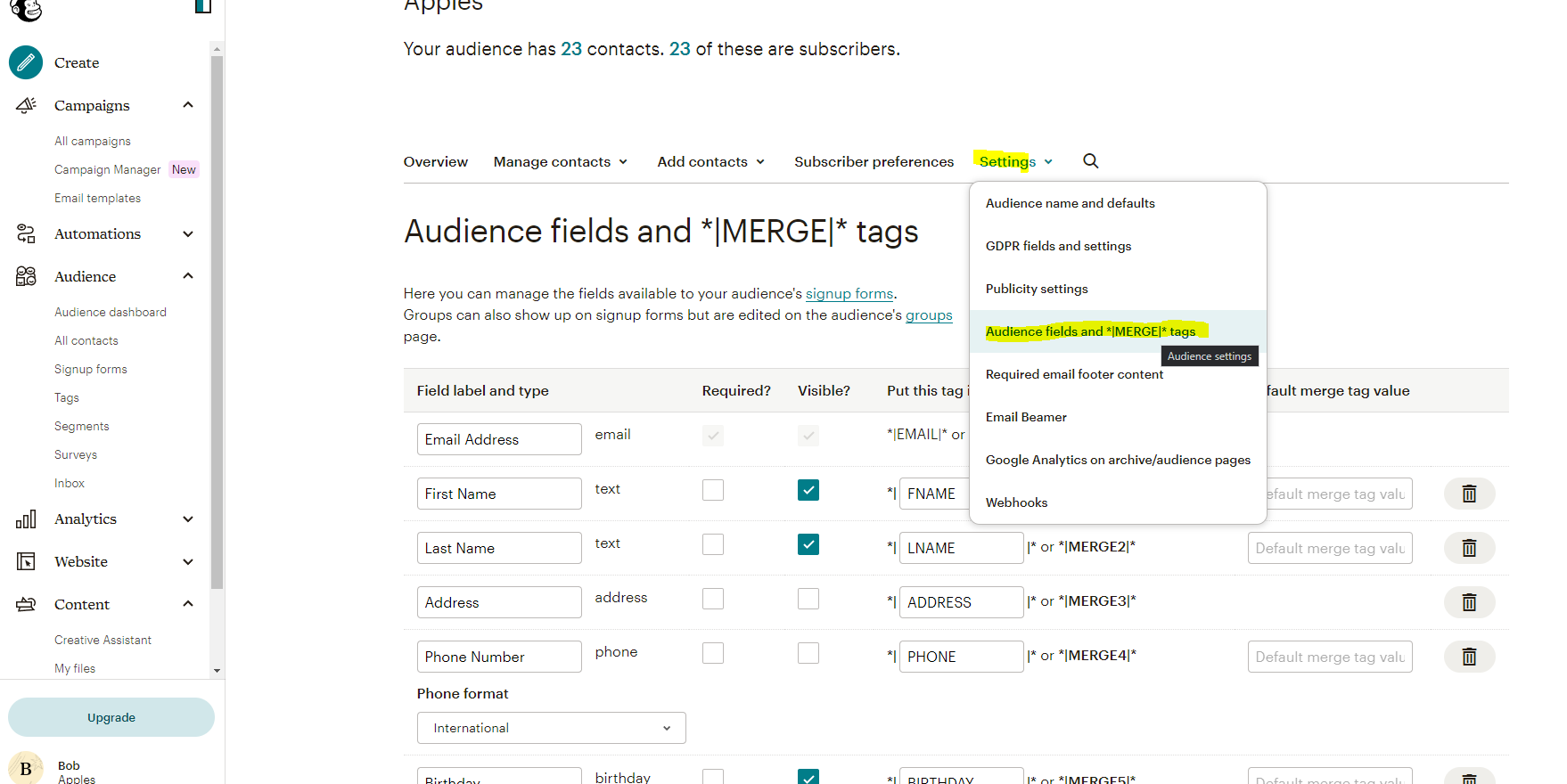
API Key
Navigate to API section of your Mailchimp site:
https://us19.admin.mailchimp.com/account/api/
This is also accessible by clicking on your initial in the top right of the screen and then onto Account and Billing. On the next page you click extras and then look for the option “API keys”.
Click on “Create a Key”.
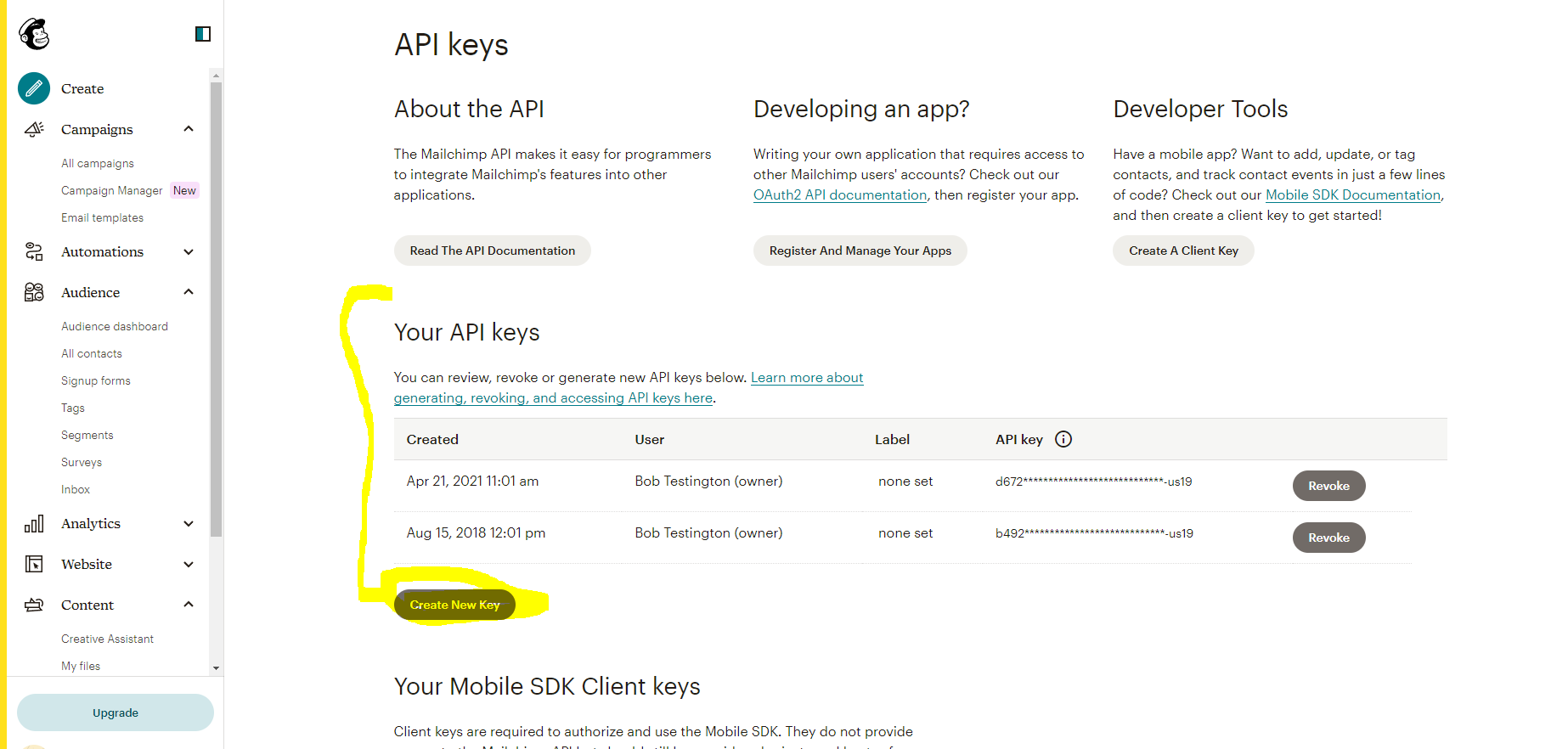
Save generated key in Settings form of the sunrise homepage. If run on the D environment please stop and start the containers.
Filtering Contacts
Extra Field and Extra Value in Settings form define which contacts should be listed for migration to Mailchimp. Only contacts that are marked with that extra value are displayed in the grid.
Extra Fields and Tags
Specify list of extra fields that should be synchronised to Mailchimp as Mailchimp tags. Use new line for each extra field name. An example of two extra fields “Company Type” and “Contact Salutation”:
Company Type
Contact Salutation
Running Homepage
Run homepage, select audience in the dropdown and click on Refresh button to list contacts. Please note only Person type contacts are displayed in homepage grid.
List of Fields That Are Synchronised
- First name
- Last name
- Email address
- Extra fields specified in Settings.
Actionable State
Contacts have actionable state, which defines whether it’s possible to synchronise between Central and Mailchimp. Contacts would only be actionable, if they are new to Central (haven’t yet been created in Mailchimp yet), have different first/last names or email addresses. They would also be actionable if tags don’t correspond to extra values (see Tags section).Non-actionable state usually means there is nothing to synchronise between Central and Mailchimp.
Tags/Extra Fields
When synchronising to Mailchimp, Mailchimp tag will be created using following format:
{Extra Field Name}{Extra Value}
For example, if contact is marked with “Company Type” extra field, extra value “Dormant”, once synchronisation to Mailchimp is completed, the contact record would be tagged with “{Company Type}{Dormant}” tag. Another example, extra field “Colour”, extra value “Green” would result in “{Colour}{Green}” tag in Mailchimp.
Extra fields or extra values that contain “{“ or “}” characters are not supported. Only text-based extra fields are supported.
Any other direct Mailchimp tags are not supported and will be removed during synchronisation process. For example, if contact is marked with “Green” tag manually, it will be completely removed from contact during Sunrise synchronisation.